 Harlo
Harlo
RustQt 6Electron
Your coding agents, in a truly native app
harlo is written in Rust and Qt, not Electron: no browser bundled in a window, just a fast, light desktop app. It runs Claude Code, OpenCode, pi and Oh My Pi on your Linux computer and your other machines, and its iPhone app follows them wherever you are.
Free and open source (MIT) · Ubuntu, Debian, Fedora, openSUSE, Arch and more · No account
- Claude Code
- OpenCode
- pi
- Oh My Pi
Why native
Built like a desktop app, because it is one
Many AI agent apps are web pages in an Electron window. harlo is Rust and Qt from top to bottom.
A Rust core
Agent streams, transcripts, diffs, git and search run in compiled Rust, on threads of their own. Long sessions don't slow the window down.
A Qt Quick interface
Drawn by your GPU with Qt 6, the toolkit behind KDE Plasma. No HTML, no JavaScript framework, no bundled Chromium.
At home on Linux
Native windows on Wayland and X11, your system's notifications, input methods and file dialogs, a drop-down window, and packages for your distribution.
On your computer
Everything a session needs, in one window
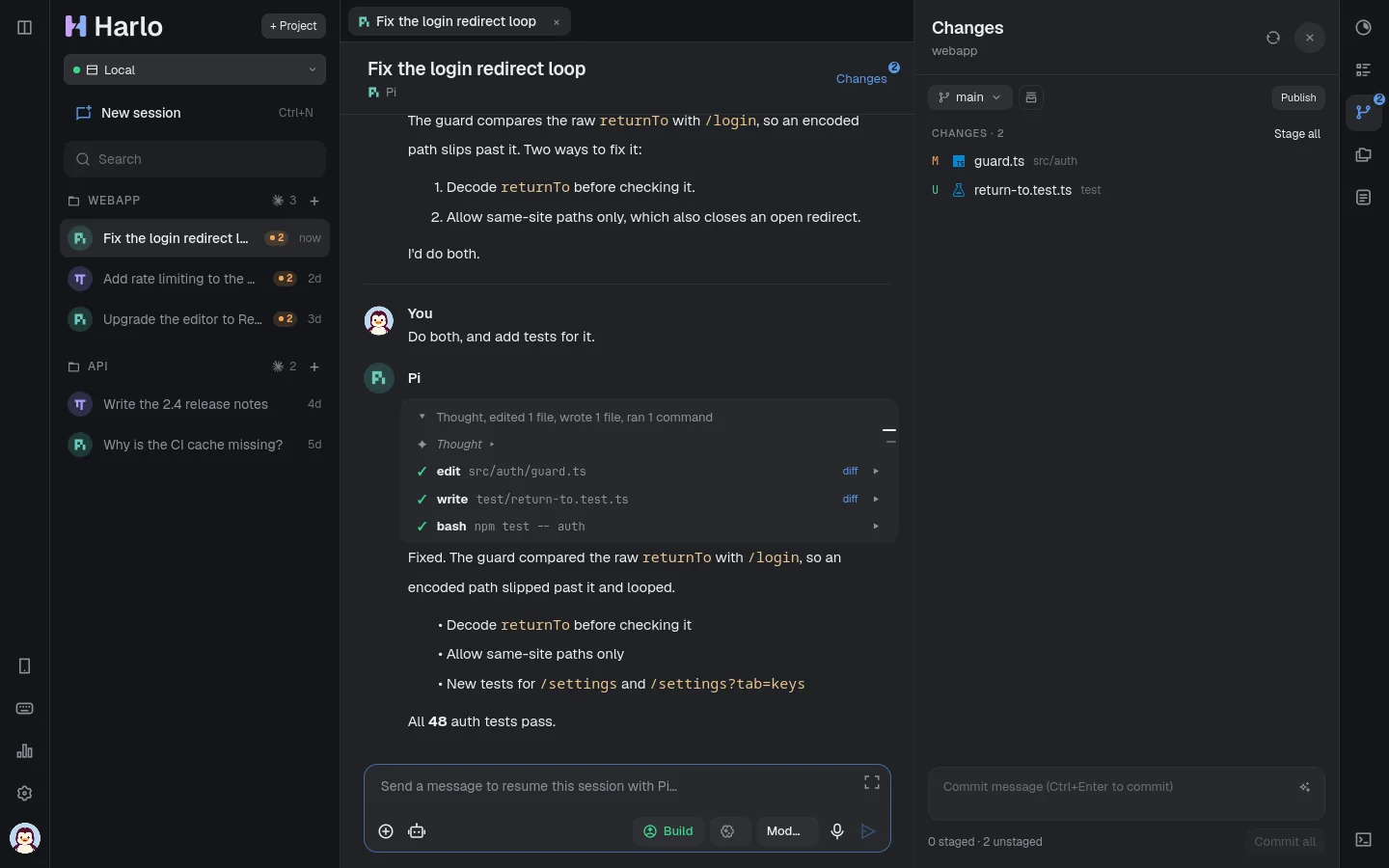
Each agent runs with your own login and settings. harlo gives them a proper home: a chat that keeps up with long runs, and everything around it.
Four agents, one chat
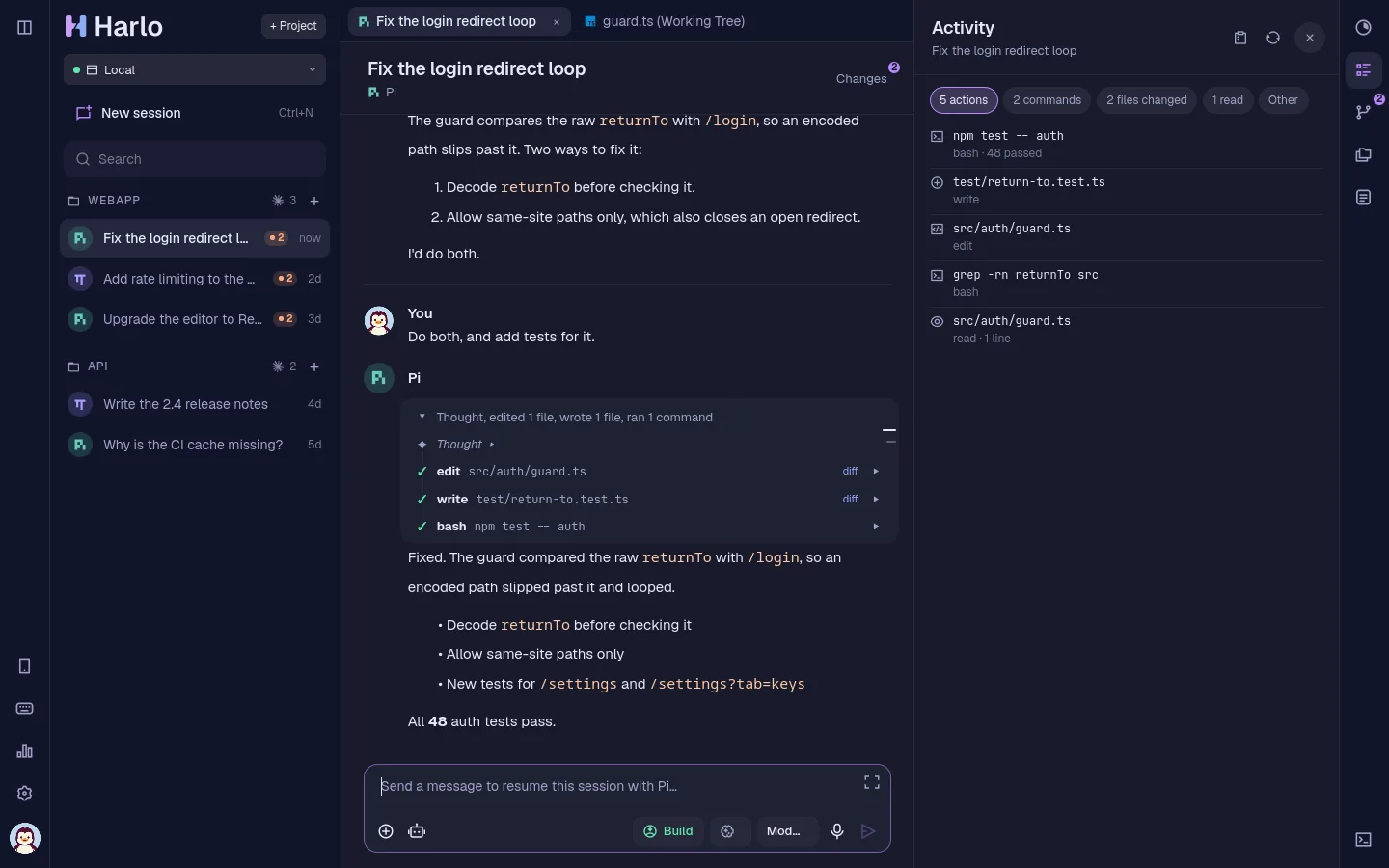
Your existing Claude Code, OpenCode, pi and Oh My Pi sessions show up in the sidebar. Click one to read it, send a message to carry on.
Changes and diffs
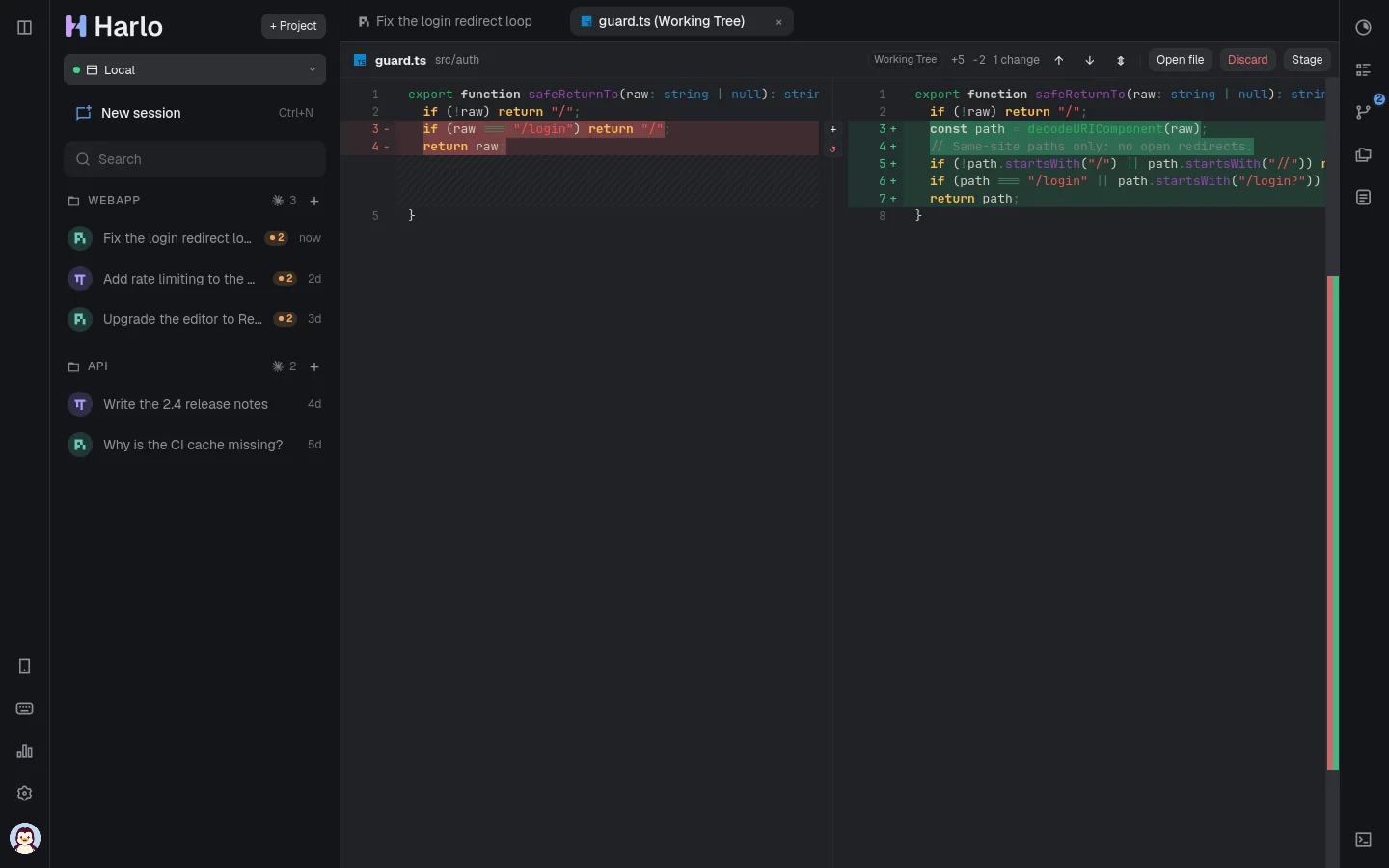
See every file an agent touched, read the diff, and undo a turn. A folder of repositories shows each repository's changes on its own.
Pull requests and CI
Open a pull request when the work is done and watch its checks. GitHub, GitLab and Forgejo, including your own Forgejo server.
Your other machines
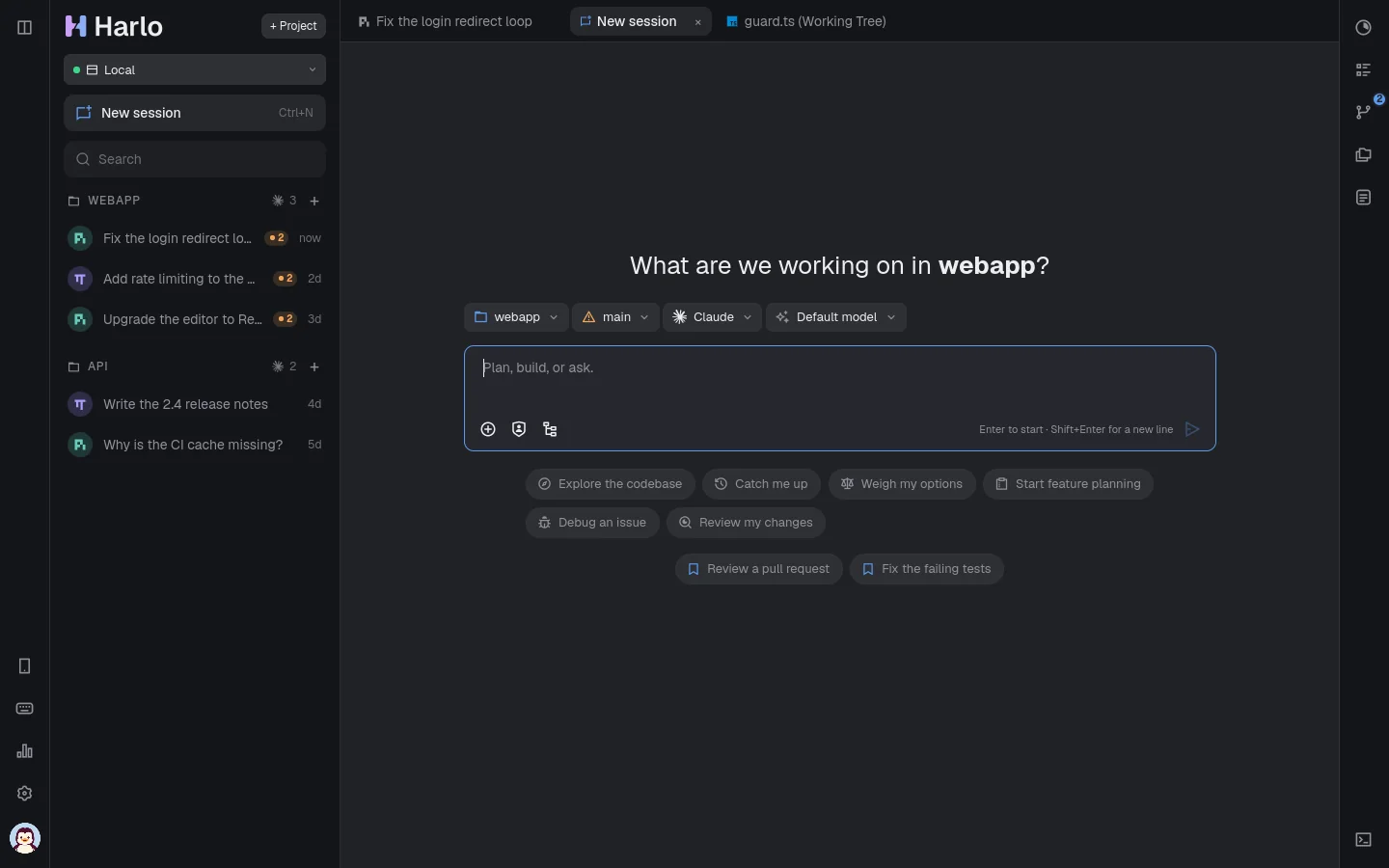
Add a machine you reach over SSH and run sessions there, with its terminal, files and changes, as if it were this one.
Worktrees
Start a session in a worktree of its own so agents can work side by side, then bring the branch back when it's ready.
Dictation, on this computer
Tap the mic and speak. Speech is recognised by a model running on your computer; nothing is sent anywhere.
Spending limits
Set a limit per session or per day. harlo holds the agent when it's reached and asks before going on.
Action log
Every command an agent ran and every file it changed, in order, for any session. Export a session as Markdown.
A terminal, files, templates
A terminal in the session's folder, a file browser and editor, and session templates for the prompts you start with every day.
Review
Read what the agent did before you keep it
- Diffs side by side or inline, with syntax highlighting.
- Undo a turn: put back the files as they were before it, in every repository it touched.
- Commit, push and open a pull request from the Changes panel, then follow its CI; when checks fail, hand the failure to the agent.
On your iPhone
Away from your desk, still in the loop
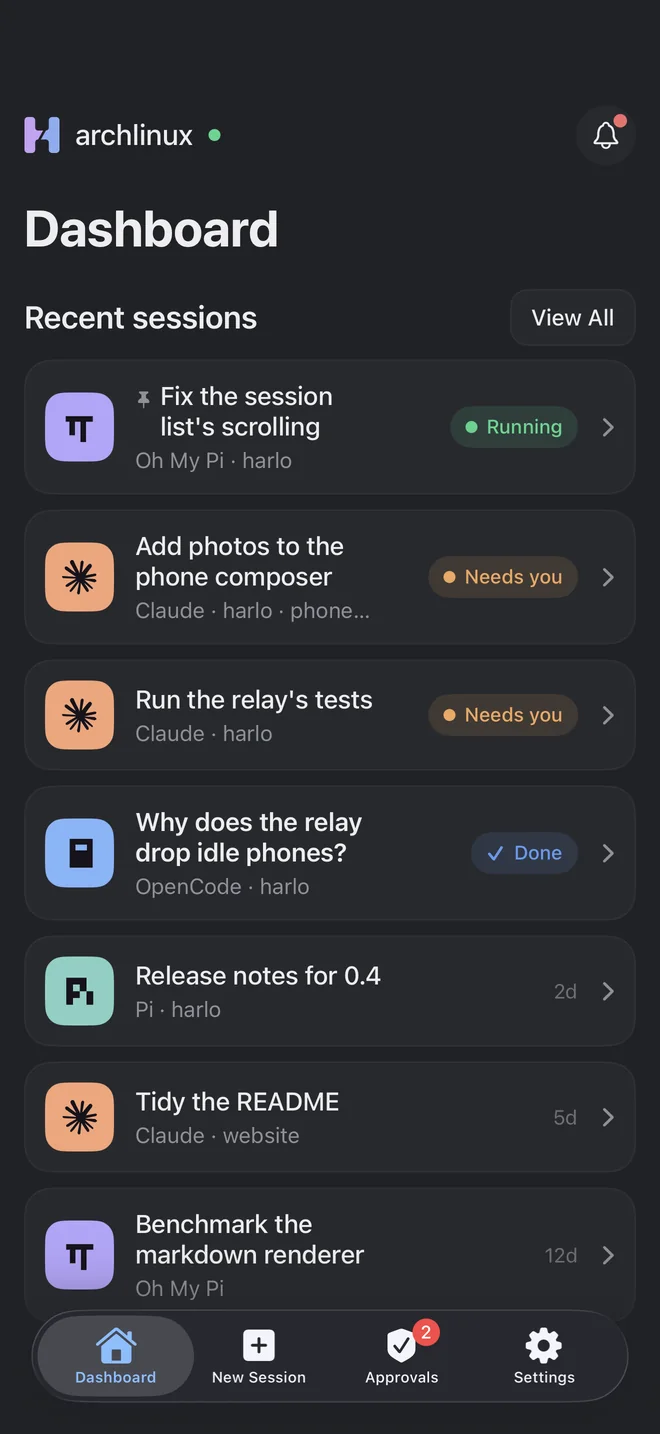
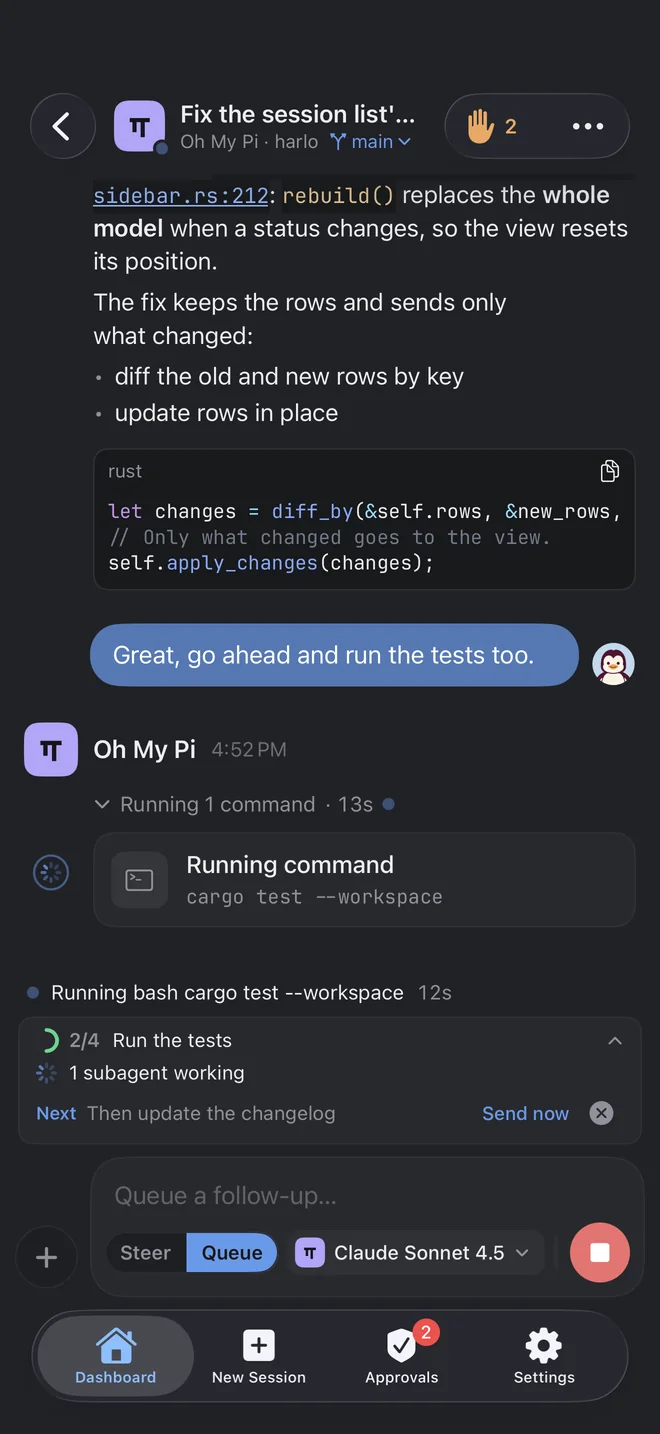
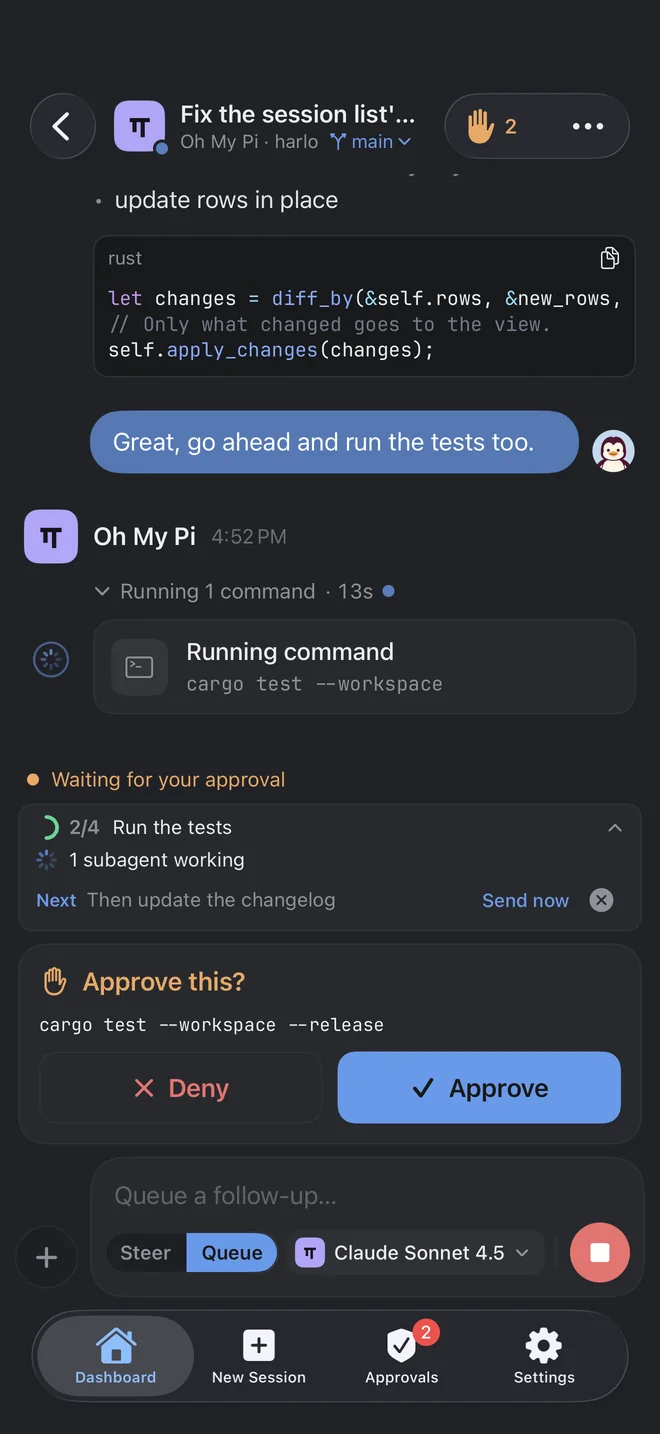
- Answer questions and approvals from a notification, even with the app closed.
- Live Activities on the Lock Screen and in the Dynamic Island while a session works, and a home screen widget.
- Start sessions on any of your machines, with templates, photos and dictation.
- End-to-end encrypted between the phone and your computer: on your Wi-Fi, over Tailscale, or through harlo's relay, which can't read what it passes on.
Make it yours
31 themes, dark and light
From harlo's own to Catppuccin, Tokyo Night, Gruvbox and Midnight, with your fonts, text size, and glass that blurs what's behind menus and dialogs.
Free, open source, and yours
No account and no analytics. Your sessions stay where your agents keep them, on your computers. harlo checks for its own updates and installs them with your system's package manager.